Easy reporting
Report deviations and incidents via web or mobile. QR codes in the workplace enable rapid reporting directly on the floor — even without login.
Register, investigate and resolve deviations, incidents and improvement suggestions in a structured digital flow — with automatic reminders, action plans and a full audit trail.
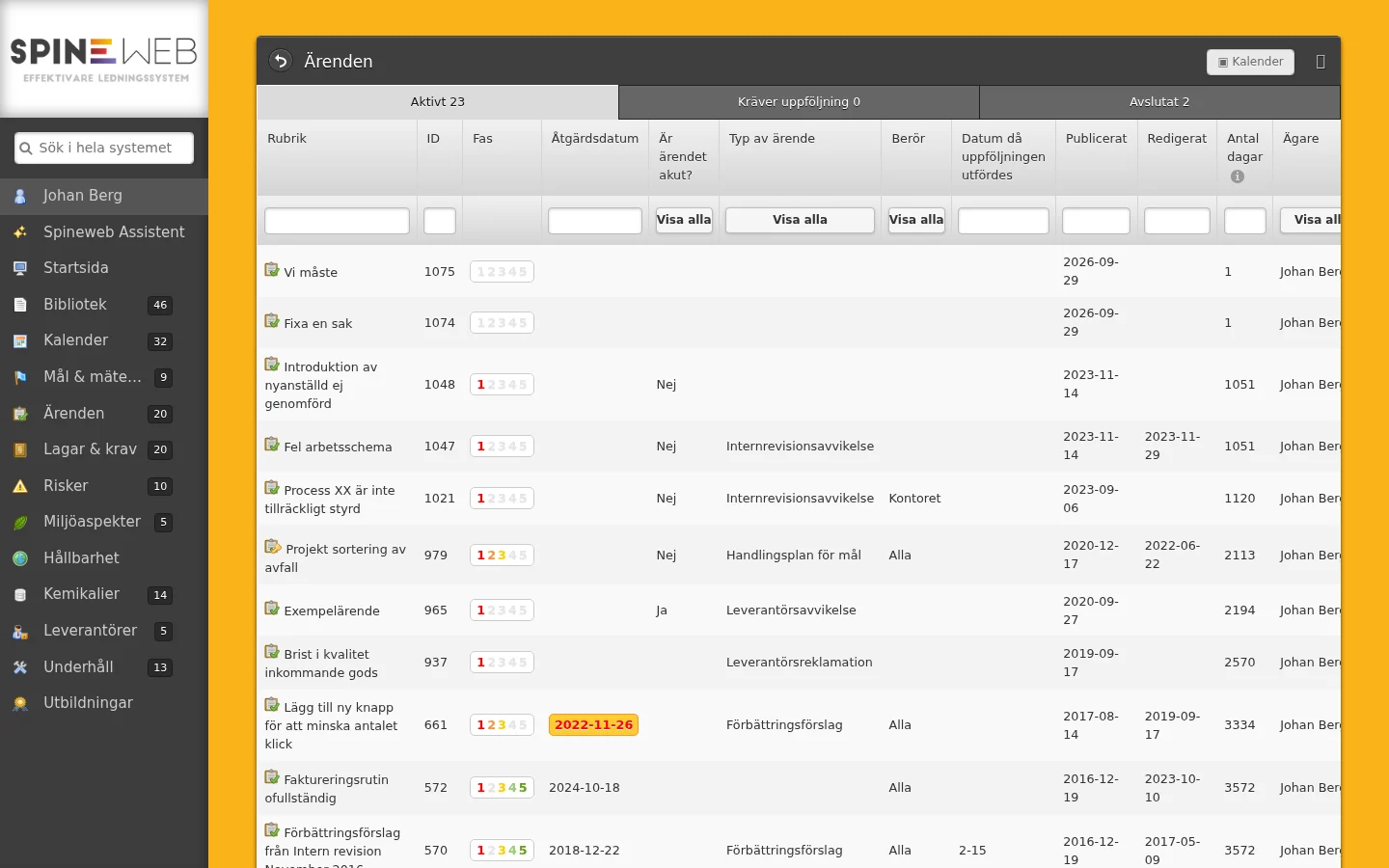
Case management is the structured process of registering, investigating, resolving and following up on deviations, incidents, complaints and improvement suggestions in an organization. In a modern management system, digital case management replaces Excel lists and email chains with a traceable, automated flow where no case falls through the cracks.
Without a structured case management system, it is common for deviations to be reported verbally and never documented, for actions to be promised but not followed up, and for the same problems to repeat over and over. The consequences can be serious — production disruptions, personal injuries, regulatory violations and dissatisfied customers.
A complete case management system handles the entire case lifecycle: reporting, categorization, responsibility assignment, investigation, root cause analysis, action plan, verification of completed actions and final closure with documented evidence. Every step is automatically logged in an audit trail.
ISO 9001, ISO 14001 and ISO 45001 all require systematic management of deviations and corrective actions. Spineweb's case management module automatically creates the documentation that certification bodies and auditors require — without extra administrative work.
A complete flow — from first report to verified action and closed case.
Report deviations and incidents via web or mobile. QR codes in the workplace enable rapid reporting directly on the floor — even without login.
Cases are automatically routed to the right responsible party based on category, department or location. The responsible party is notified immediately and reminders are sent automatically.
Structured investigation forms with support for root cause analysis. Link causes to actions and ensure problems do not recur.
Create actions with responsible party, deadline and priority. Automatic reminders keep actions on track without manual follow-up.
Identify patterns and recurring problems with statistics overviews. Filter by category, department, period or responsible party for deeper analysis.
Every step in the case flow is automatically logged with timestamp and responsible party. Auditors and certification bodies can verify the process directly in the system.
See every case as a card on a board, by phase or by status. Drag a card to the next phase and fill in that phase's fields right away, order cards the way you want to work and filter by owner or case type.
Cards past their action date are marked in red, and each card shows how long the case has been open. Create new cases straight from the board and close them with one click.
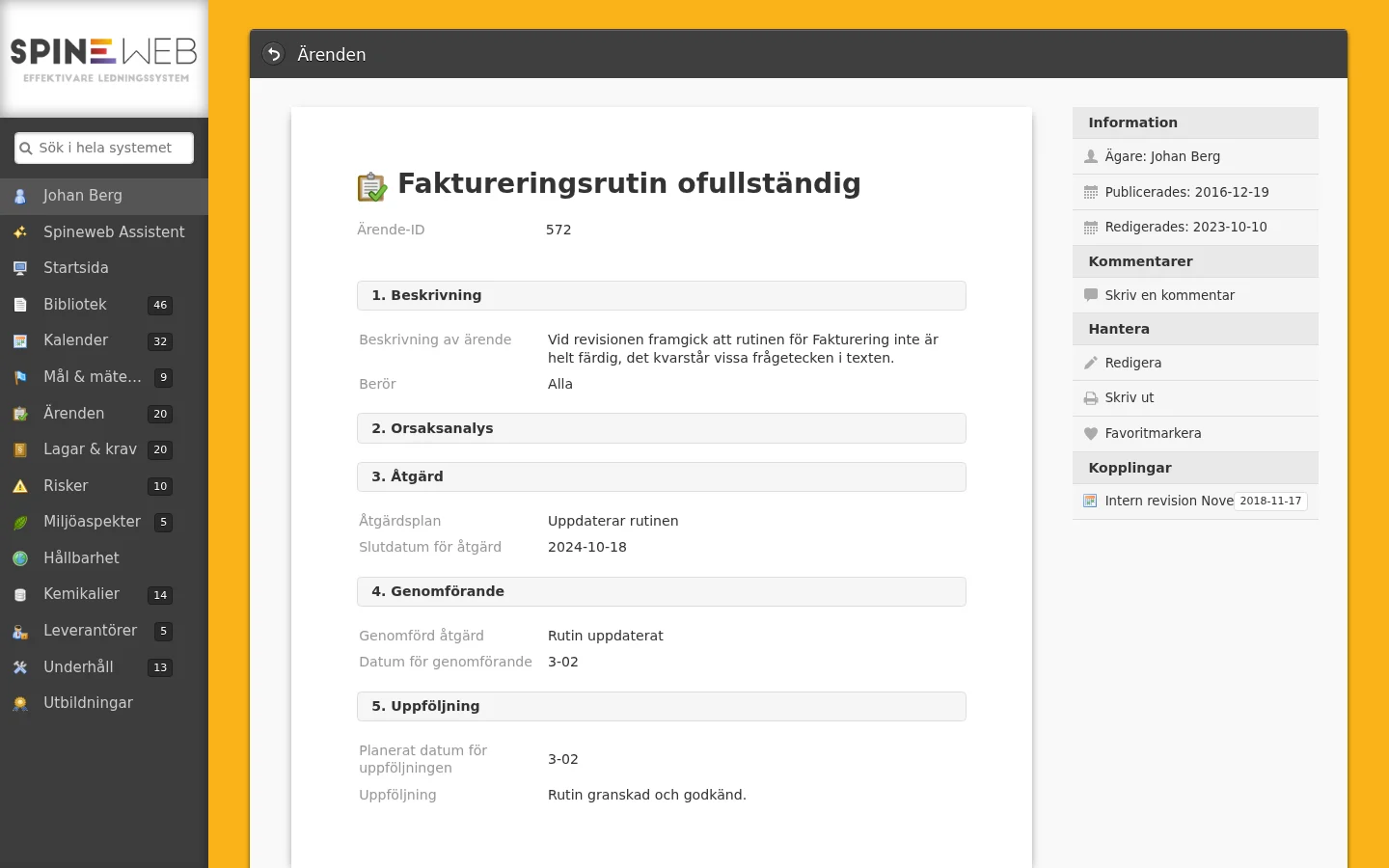
Cases in Spineweb connect seamlessly to documents, legal requirements and chemicals for a complete management system.
Spineweb's AI assistant gives you a quick overview and can create cases directly in the chat. Examples below.
AI processing runs on AWS Bedrock in eu-north-1 — your data never leaves the Nordics.
Case management in a management system is the structured process of registering, investigating, resolving and following up deviations, incidents, complaints and improvement suggestions. A digital system ensures no case falls through the cracks, responsible parties are automatically assigned, actions are planned with deadlines, and the entire process is documented in an audit trail.
A deviation is when something is not working as intended — a product does not meet requirements, a routine is not followed. An incident is an event that could have led to an accident or injury but did not. An improvement suggestion is a proactive proposal for how something can be improved. In Spineweb all three are handled as cases but with different categories, priorities and investigation flows.
ISO 9001 and ISO 14001 require organizations to handle deviations systematically: registration, root cause investigation, corrective actions, verification of effectiveness and retained evidence. Spineweb's case management module supports this entire flow and automatically creates the documentation auditors require.
Yes. Spineweb supports anonymous case reporting, which is important for encouraging an open reporting culture. Research shows that anonymity significantly increases the number of reported incidents, providing better data for preventive work. Anonymous cases are handled in the same flow as regular cases.
Spineweb sends automatic reminders to responsible parties when deadlines approach. Cases cannot be closed until all mandatory steps are completed. Management gets overviews of open cases and delayed actions, creating natural follow-up without manual administration.
Root cause analysis takes place as part of the investigation step in the case flow. The responsible case handler documents what happened, why it happened and what can be done to prevent recurrence. Spineweb supports structured analysis methods and links action plans directly to identified root causes.
Yes. Cases can be shown as a kanban board where each case is a card and the columns show the phase (not started, action, implementation, follow-up) or the status. Cards are moved with drag and drop, overdue cases are marked in red and the board can be filtered by owner, case type and status. You can switch freely between the kanban view and the table.
Book a demo and see how Spineweb gives you full control of deviations, incidents and improvement suggestions.